
- TL;DR Summary for Those in a Hurry:
- Your Thermostat Is Just a Smart Switch—Not a Heater or Air Conditioner
- How Does Your Thermostat Know It's Cold? Old-School Coils vs. New-School Sensors
- The "Buffer Zone": Why Your Furnace Doesn't Turn On Instantly
- "My Thermostat Says Heat Is On, But There's No Heat!" — What's Really Happening?
- Decoding the Wires: What Do Red, White, and Green Actually Do?
- Fan Settings: "Auto" vs. "On"—Which Is Right for You?
- What Does "Auxiliary Heat" Mean and Why Should I Care?
- Smart vs. Programmable: Which Thermostat Upgrade Is Worth Your Money?
- Is Your Thermostat Lying? A Simple 2-Minute Calibration Check
- From "Magic Box" to Smart Tool: Putting Your New Thermostat Knowledge to Work
TL;DR Summary for Those in a Hurry:
- Unlocking Thermostat Secrets helps you understand how thermostats control your HVAC system, from basic temperature sensing to advanced smart features.
- Knowing how different thermostat types work lets you choose and set them for better comfort and energy savings.
- Smart thermostats can learn patterns, optimize schedules, and reduce utility costs when configured correctly.
- Simple adjustments and correct wiring ensure reliable communication with your heating and cooling equipment.
- Understanding thermostat behavior empowers you to fix common issues and avoid unnecessary service calls.
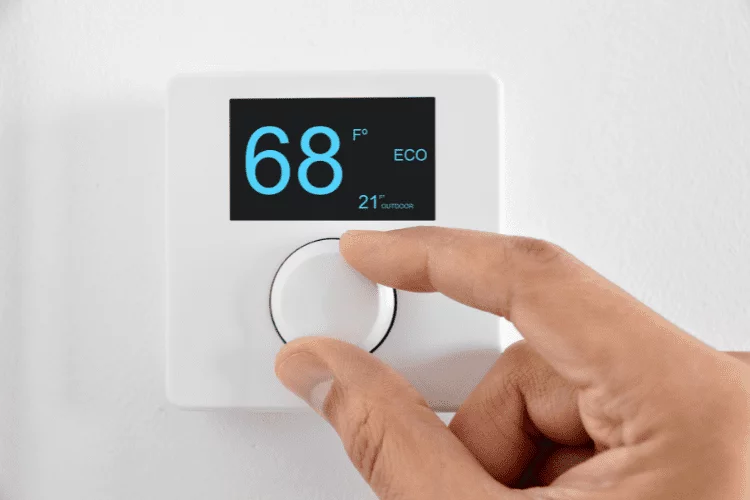
Thermostats are simple on/off switches that compare your setpoint to room temperature; turning the dial higher doesn’t heat faster, it just runs longer. A small intentional temperature swing prevents short cycling, while modern sensors (thermistors) improve accuracy over older bimetal coils. Understanding basic wiring (R/W/Y/G), fan modes (Auto vs On), and heat-pump auxiliary heat helps you operate the system efficiently. Upgrading to programmable or smart models, checking calibration, and using a quick troubleshooting checklist can boost comfort and cut energy costs.
Your Thermostat Is Just a Smart Switch—Not a Heater or Air Conditioner
It’s a common misconception that your thermostat produces hot or cold air. In reality, it doesn’t create any temperature change at all. The best way to understand how a home thermostat works is to think of it as a smart light switch for your much larger, more powerful heating and cooling system. It’s the low-power brain making a decision, but it relies on the high-power furnace or air conditioner to do the heavy lifting. All the thermostat does is send a simple “on” or “off” signal.
This is where that familiar click you sometimes hear comes into play. Inside most thermostats is a small electrical switch called a relay. When your thermostat decides the room needs heating or cooling, this relay closes the circuit, sending the “on” signal to your furnace or air conditioner. That audible click is the sound of the relay physically making the connection—it’s the starting gun for your climate control system. So, if you’ve ever wondered “why does my thermostat click?” now you know: it’s the sound of a command being sent.
The thermostat’s sensor acts as a lookout, its internal logic is the decision-maker, and the relay is the messenger that clicks to send the final order. The thermostat is the captain of the ship, but the furnace and air conditioner are the engines that actually move you toward a more comfortable temperature. But how does that captain know what the current temperature is to begin with? It all comes down to the type of sensor it uses.
How Does Your Thermostat Know It’s Cold? Old-School Coils vs. New-School Sensors
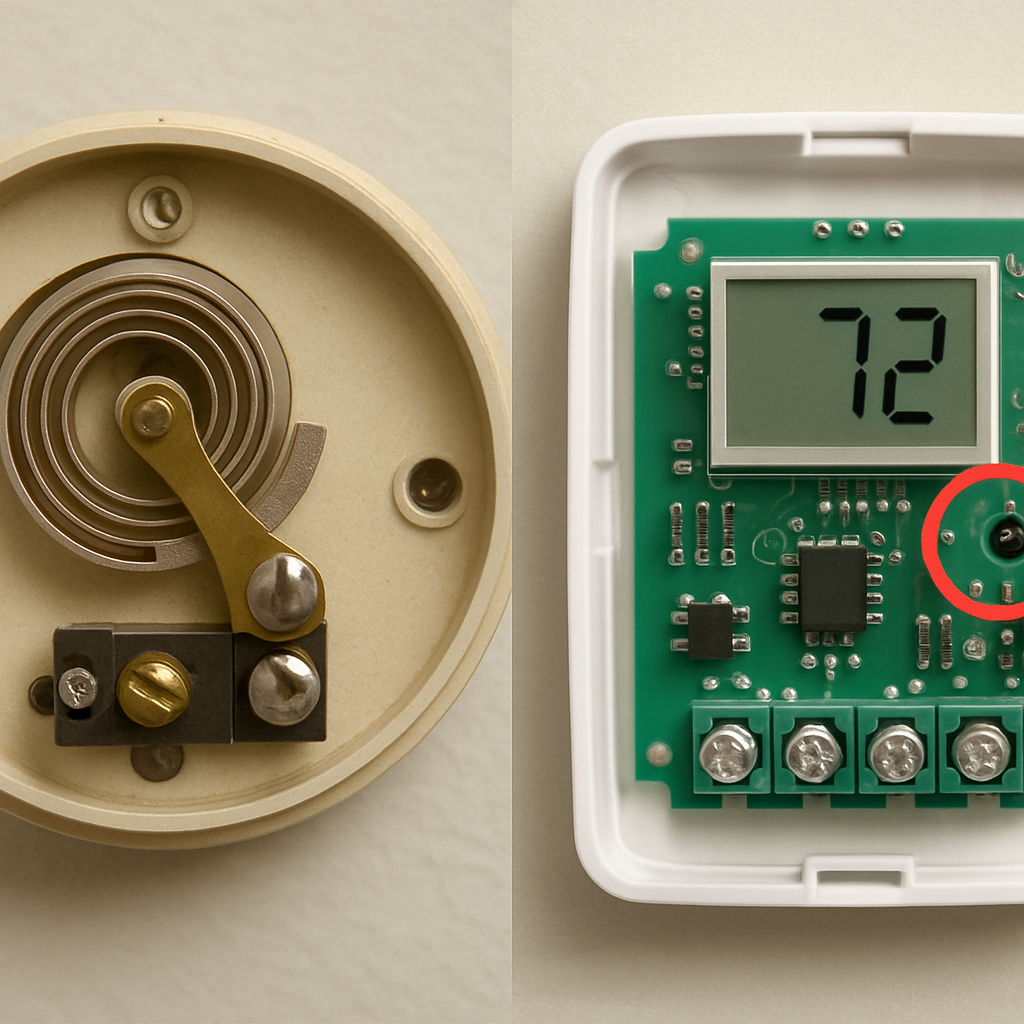
To decide when to send its “on” or “off” signal, your thermostat first needs a way to measure the room’s current temperature. The method it uses depends entirely on its age. If you’ve ever seen an older, round thermostat with a dial, you’ve probably seen a coiled metal spring inside. This isn’t just a random part; it’s the temperature sensor itself.
This special coil, called a bimetallic strip, is the clever, no-power-needed heart of older thermostats. It’s made of two different types of metal—like steel and copper—fused together. As the room gets colder, one metal shrinks more than the other, causing the coil to tighten. As it warms up, the coil expands and uncoils. This physical movement is everything. When the coil tightens or loosens to a specific point, it physically touches an electrical contact, which is what completes the circuit and sends the signal to your furnace or AC.
Modern digital thermostats, on the other hand, have no moving parts for sensing temperature. Instead, they use a tiny electronic component called a thermistor. Think of a thermistor as a tiny digital thermometer whose only job is to measure the air temperature and report it back to the thermostat’s digital brain. It’s faster, more accurate, and far more durable than the old mechanical coil.
This move from a physical spring to a digital sensor is a major reason why modern thermostats are more efficient. Their precision allows for much tighter temperature control. But if they’re so precise, you might wonder why your heat doesn’t kick on the very second the room drops from 70° to 69.9°. That’s because of an intentional delay, often called the “buffer zone.”
The “Buffer Zone”: Why Your Furnace Doesn’t Turn On Instantly
That intentional delay is one of your thermostat’s most important features for saving you money and protecting your equipment. Imagine if your furnace switched on the moment the temperature dipped a fraction of a degree below your setting, only to shut off seconds later when it hit the target. Your system would be clicking on and off constantly. This rapid, repeated start-and-stop is called short cycling, and it’s terrible for your HVAC system. It’s like starting your car’s engine every 30 seconds in traffic—it wastes a ton of fuel and causes massive wear and tear.
To prevent this damage, your thermostat uses a built-in “buffer zone,” sometimes called a temperature swing. Instead of sticking rigidly to your exact setpoint, it operates within a small range, typically one or two degrees around it. For instance, if you set the heat to 70°F, the thermostat might wait for the room to cool to 69°F before calling for heat. Then, it will let the furnace run until the room reaches 71°F before shutting it off. This small window ensures your system runs for longer, more efficient cycles instead of short, wasteful bursts.
So, if you feel a slight chill before the heat kicks on, don’t worry—your thermostat isn’t broken or slow. It’s working correctly to protect your furnace and keep your energy bills in check. That small temperature swing is a sign of a healthy, efficient system.
“My Thermostat Says Heat Is On, But There’s No Heat!” — What’s Really Happening?
It’s one of the most confusing home comfort moments: your thermostat screen clearly says “Heat On,” but you’re still shivering. This is a classic case of misdirection. When your thermostat’s display activates, it means it has successfully done its job—it has sent the signal telling your furnace to start. Think of it like flipping a light switch. If you flip the switch but the lamp doesn’t turn on, the problem is most likely the bulb or the lamp’s wiring, not the switch on the wall. The same logic applies here.
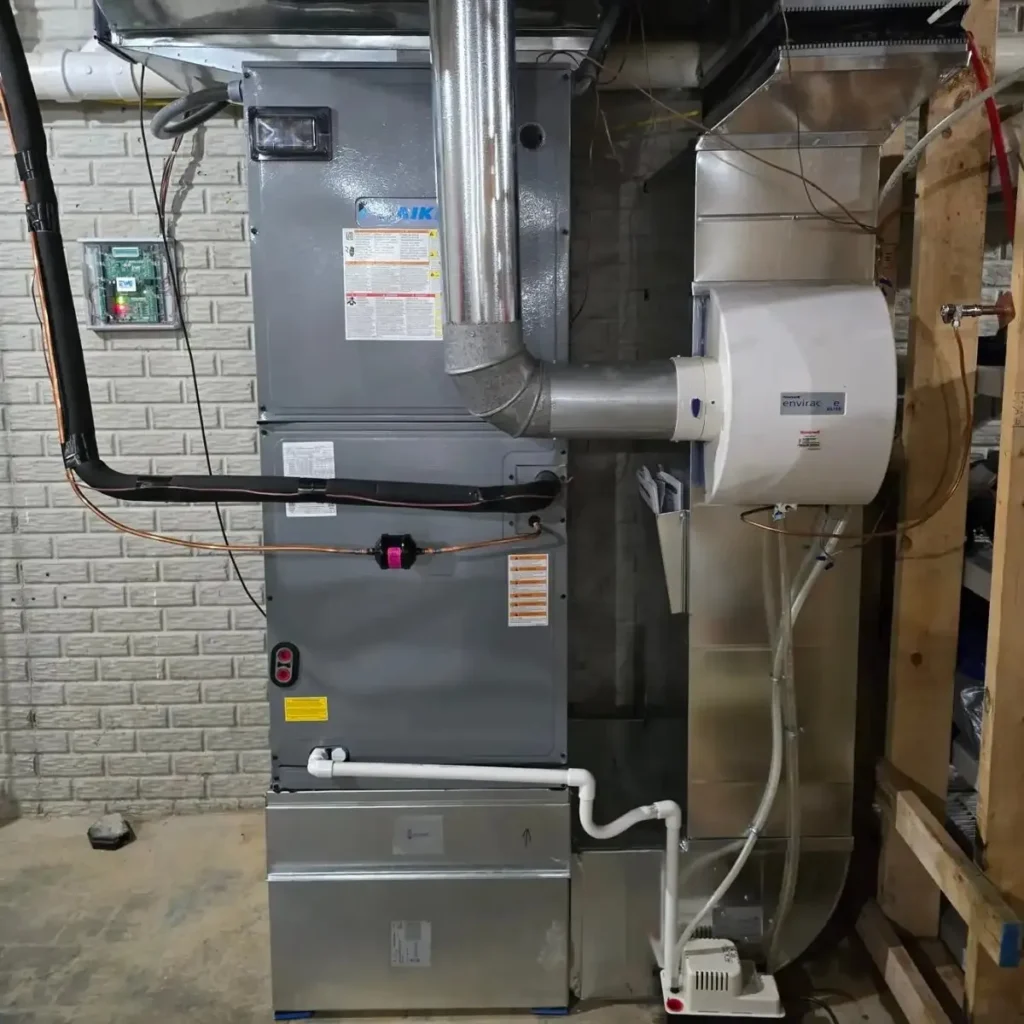
If your thermostat is calling for heat but your home isn’t getting warmer, the issue almost always lies with your furnace. Before calling for professional help, you can perform a quick troubleshooting check for the most common culprits.
- Check the Circuit Breaker: Go to your electrical panel and find the breaker for your furnace (often labeled “Furnace,” “HVAC,” or “Air Handler”). Make sure it’s in the “On” position and hasn’t tripped.
- Look for the Furnace Power Switch: Most furnace units have a dedicated power switch on or near the unit itself. It often looks like a standard light switch. Ensure it hasn’t been accidentally flipped off.
- Inspect the Filter: A severely clogged air filter can restrict airflow, causing your furnace to overheat and shut down automatically as a safety precaution.
If you’ve run through this list and still have no heat, it’s a clear sign that the problem is with your main heating system and it’s time to call a technician. Understanding that your thermostat is just the messenger is key. That message travels to your furnace through a specific set of low-voltage wires, each with its own important job.
Decoding the Wires: What Do Red, White, and Green Actually Do?
Those message-carrying wires tucked behind your thermostat aren’t as complicated as they look. Think of your thermostat not as a single messenger, but as a command center with dedicated phone lines to different parts of your HVAC system. Each colored wire is responsible for delivering one very simple, one-word command: “On.” You don’t need to be an electrician to understand their roles; you just need to know who they’re talking to.
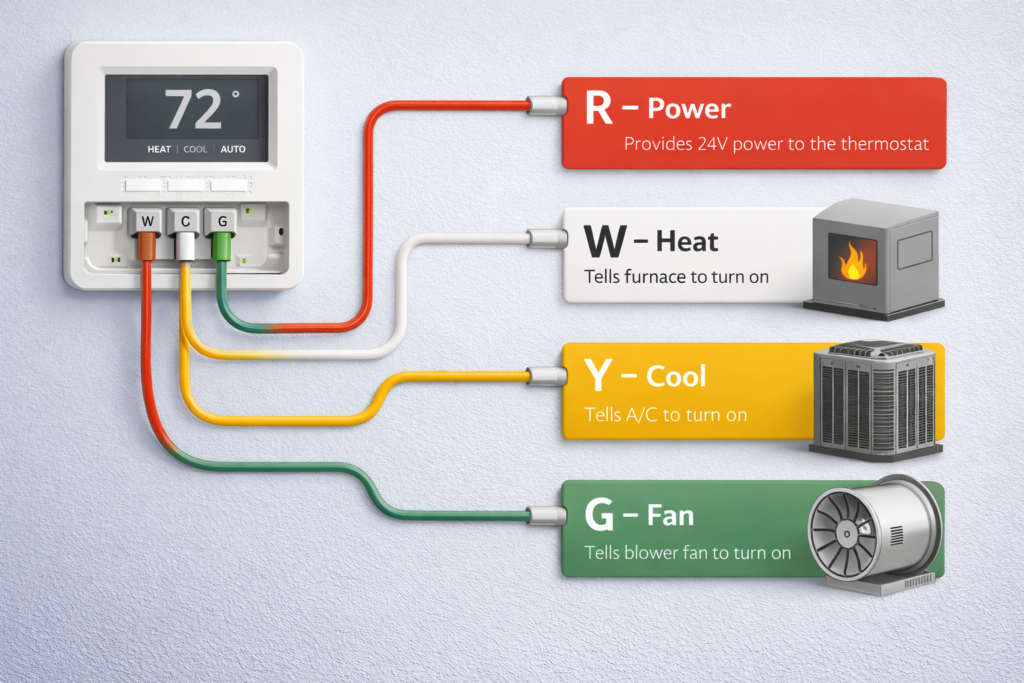
While the exact combination can vary, most modern thermostats use a core team of wires to run your home’s heating and cooling. Here are the most common players and the simple job each one does:
- R (Red) – Power: Provides the 24-volt power needed for the thermostat to send its signals.
- W (White) – Heat: Tells your furnace to turn the heat on.
- Y (Yellow) – Cool: Tells your air conditioner to turn the cooling on.
- G (Green) – Fan: Tells the system’s blower fan to turn on.
When you set your thermostat to ‘Heat,’ it’s simply connecting the R (Power) wire to the W (Heat) wire, which completes the circuit and tells your furnace to get to work. The same thing happens with the Y (Cool) wire for air conditioning. The G (Fan) wire is special because it can be controlled independently, which leads to the common “Auto” vs. “On” fan setting options.
Fan Settings: “Auto” vs. “On”—Which Is Right for You?
Choosing “Auto” for your fan is the set-it-and-forget-it option for most people. This setting links the fan directly to your heating or cooling cycle, meaning it only runs when the system is actively working to change the temperature. Once your home is comfortable, the fan shuts off along with everything else. Because it runs less, this is the most common setting and the clear winner if your primary goal is to save energy.
Flipping the switch to “On,” however, tells your fan to run continuously, regardless of whether you’re heating or cooling. The trade-off is straightforward: it uses more electricity, but it provides constant air circulation. This can help even out temperature differences between floors or rooms and constantly pulls air through your furnace filter, which is a bonus for anyone concerned about dust or allergens. This manages more than just temperature.
Ultimately, the choice between “Auto” vs. “On” depends on your needs. For most days, “Auto” offers the best balance of comfort and cost savings. But if you’re dealing with a stuffy room or allergy season, the constant circulation from “On” might be worth the extra expense. While the fan setting is a simple choice, some heating functions are more complex. For instance, on the coldest winter days, you might notice your thermostat calls for a different kind of power: auxiliary heat.
What Does “Auxiliary Heat” Mean and Why Should I Care?
If you have a heat pump, you may have noticed an “AUX” or “Emergency Heat” light on your thermostat during a cold snap. A heat pump is a wonderfully efficient system that works like an air conditioner in reverse, pulling heat from the outside air to warm your home. But when outside temperatures drop close to freezing, it can struggle to find enough heat to do its job effectively. This is where its backup plan—auxiliary heat—comes into play.
When the “aux heat” light appears on a thermostat display, it means your system has activated a secondary, more powerful heat source. Think of it as a built-in electric furnace that uses heated coils, similar to a toaster or a space heater, to generate warmth quickly. While effective, this method uses a tremendous amount of electricity. If you’ve ever been shocked by a high energy bill in the winter, frequent auxiliary heat usage is a likely culprit.
Seeing the AUX light pop on during a blizzard isn’t cause for alarm; that’s what it’s for. However, if your auxiliary heat runs constantly on milder days, it could signal an issue with your heat pump thermostat settings or the unit itself. Managing this balance between efficiency and power is a major job for your thermostat, and it’s one area where newer models have a distinct advantage.
Smart vs. Programmable: Which Thermostat Upgrade Is Worth Your Money?
Thinking about a thermostat upgrade? The choices can feel overwhelming, but they generally fall into two camps that offer big improvements over old-fashioned manual models. The classic round, dial-style thermostats and basic non-programmable digital ones share the same drawback: they only work when you physically change the temperature. Forget to turn the heat down before leaving for work, and you’ll be paying to heat an empty house all day.
The first big leap in thermostat technology was the programmable model. This type allows you to “set it and forget it” by creating a schedule. You can program it to automatically lower the temperature after you leave for work, and then warm the house back up just before you get home. By consistently using less energy when you’re away or asleep, a programmable thermostat is a proven money-saver that pays for itself over time.
A smart thermostat takes this a step further by connecting to your home’s Wi-Fi. This single feature unlocks a world of convenience. Forgot to adjust the schedule before leaving for vacation? You can change it from your phone anywhere in the world. They also learn your patterns over time, suggesting more efficient schedules to save you even more money without sacrificing comfort. Some use “geofencing,” which uses your phone’s location to know when you’ve left the house and when you’re on your way back, adjusting the temperature automatically. There’s no schedule to manage—the thermostat simply reacts to your life.
A programmable model offers significant savings for those with a consistent daily routine. A smart thermostat is ideal for people with irregular schedules or anyone who values the convenience of remote control and automated learning. Regardless of how smart your thermostat is, its brain is only as good as its senses. If it can’t get an accurate temperature reading, all those fancy features won’t do you much good.
Is Your Thermostat Lying? A Simple 2-Minute Calibration Check
Even the smartest thermostat is useless if its temperature reading is wrong. If you feel chilly when it reads 72°F, or you suspect your thermostat is not accurate, there’s an easy way to check. This simple test, which takes just two minutes to set up, ensures your system isn’t running on bad information, which can waste money and leave you uncomfortable.
To find out if your thermostat reading is wrong, all you need is a basic, reliable thermometer. Tape it to the wall right next to your thermostat—not above or below it, as temperatures can vary just a few inches away. Leave it there for about 15 minutes to let it adjust, then compare the two readings. A difference of a degree or two is perfectly normal and no cause for alarm.
If the difference is more significant, you might wonder how to calibrate a home thermostat. Before calling for service, check your thermostat’s manual. Many digital models have a “temperature offset” or calibration setting that lets you easily correct the reading yourself. Knowing how your thermostat thinks—and how to verify what it sees—transforms it from a mysterious box into a powerful tool for your home.
From “Magic Box” to Smart Tool: Putting Your New Thermostat Knowledge to Work
That little box on your wall is no longer a mystery. You’ve pulled back the curtain to see the thermostat for what it is: a smart, simple switch, not a gas pedal. Before, you might have cranked the dial to an extreme, hoping for a miracle. Now, you understand the calm logic it uses—the patient waiting, the protective buffer zone, the quiet signal that commands your entire system. You know it’s just following a plan.
And because you understand the plan, you are now in a position to improve it. This new knowledge gives you the power to fine-tune your home’s comfort and unlock real home energy savings. You don’t need to be an expert to take control; you just need to know where to start.
Here are a few thermostat tips to turn your new understanding into immediate action.
Your 3-Step Thermostat Action Plan
- Bust the Myth: Stop cranking the temperature to extremes. Set your thermostat to the actual temperature you want and let it do its job efficiently.
- Check Your Settings: Take a moment to confirm your fan is on “Auto” for maximum savings. If you have a programmable thermostat, ensure the schedule reflects your actual daily life, not a factory preset.
- Test Your Accuracy: Perform the simple two-minute calibration check we discussed. An accurate thermostat is an effective one, and this quick test ensures it’s reporting the right temperature.
With these steps, you’re no longer just a passenger on your home’s climate journey—you’re the pilot. Every adjustment is now an informed decision. By taking a minute to apply what you’ve learned, you’re not just hoping to save money on heating or cooling; you’re actively making it happen, ensuring your home is both comfortable and efficient for years to come.
Thermostats are more than simple temperature dials — understanding their functions improves comfort, efficiency, and control of your HVAC system. Learning how they operate lets you set them right and troubleshoot typical problems.
FAQ: